

Table of Contents
Deciding between Webflow and Wix isn’t always straightforward, especially when you’re building a website meant to support your team long term, not just for the next few months.
Both appear to handle most business requirements.
The problem is that they serve different types of teams, and the differences are not always clear at first. The goal here is to sort that out in plain language.
Webflow vs Wix: Wix is easier and cheaper for simple websites. Webflow has more design flexibility and scalability when a business requires a professional and custom web presence. It is up to you to decide based on your budget, technical resources, and how much you expect your site to grow.
Abstract
Webflow and Wix are both aimed at business owners who want a clean, professional website without heavy technical overhead, but each platform serves a different purpose. This guide provides a clear, side-by-side look at ease of use, design freedom, features, performance, and long-term cost to help you choose the platform that best fits your needs.
Quick-Reference Comparison Table
- Choose Wix if you need a simple website up quickly and want to build it yourself.
- Choose Webflow if you want a custom, professional site that can grow, and you are ready to hire help or put in the time to learn the platform.
Webflow vs Wix - Introductory Overview
Many business owners reach a point where they need a website that is clean, fast-loading, and supports their growth plans. The harder part is choosing the right platform to build it on.
Two of the most popular options are Webflow and Wix, and at first glance, they seem to offer the same thing.
It's natural to wonder what sets them apart, or which one will still work for your team two years from now.
The reality is that both tools are powerful, but they’re built to solve different problems. If those differences aren’t clear early on, you may end up rebuilding later, costing you unnecessary time, effort, and money.
This guide isn;t not meant to push you toward one option or the other. Instead, it focuses on what each tool does well, where it falls short, and how those strengths and limitations align with your business plans. Once that’s clear, the right choice tends to make itself.
Why This Comparison Matters for Business Owners
Your website is often a customer's first contact with your business. They judge you on clarity, speed, and ease of use. That makes platform choice important.
Both Webflow and Wix target business owners who want a professional site without writing code. The confusion is that they're built for different needs. This comparison matters because you don't want to discover in two years that your platform can't support your plans.
The goal here is simple. Filter out all the noisy assertions and provide you with a clear picture of what each platform does best, what it does poorly, and what that will do you. This is a significant decision, and it is reasonable to approach it carefully.
How We Will Compare These Platforms
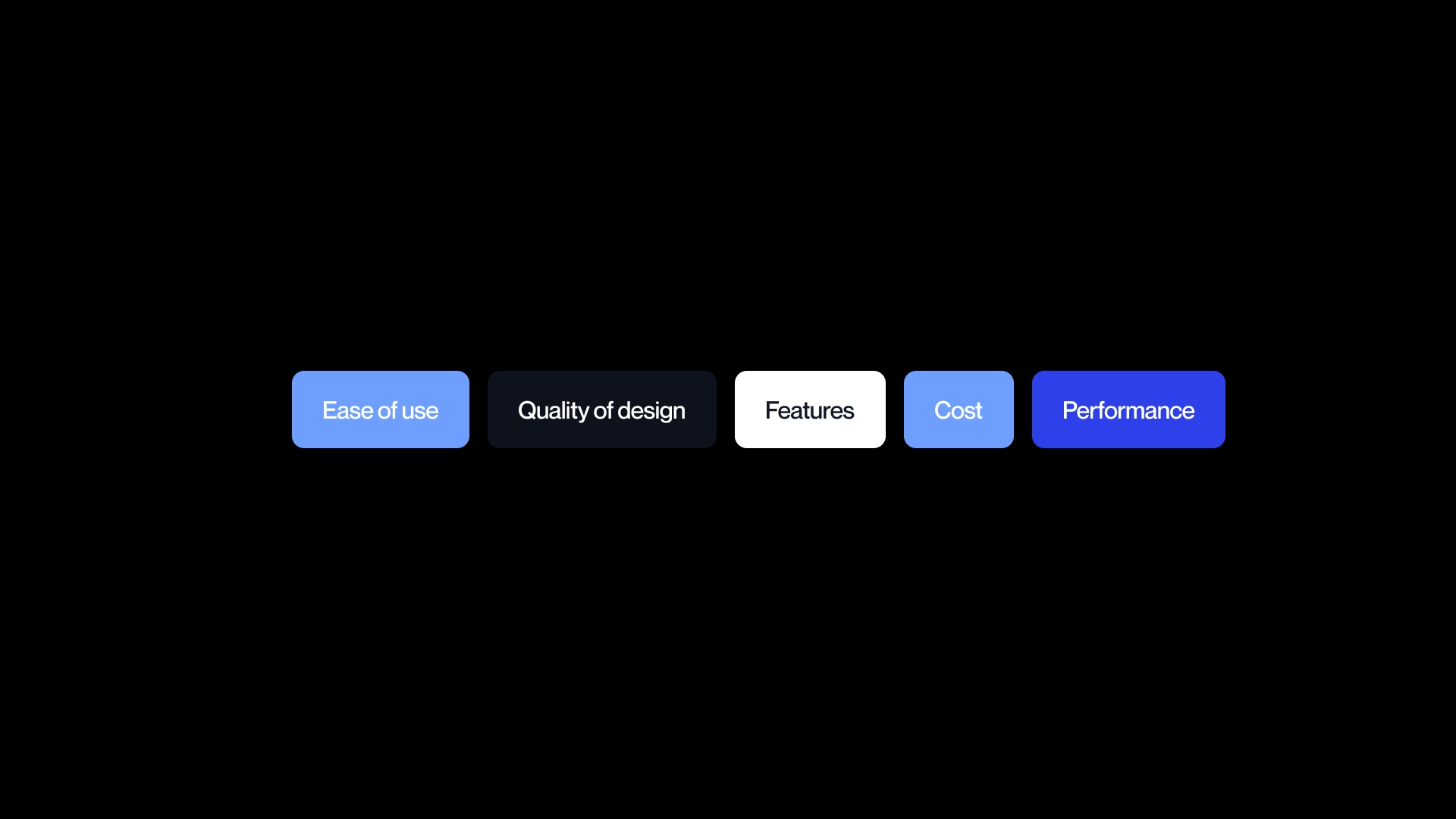
To keep things clear, we'll compare Webflow and Wix on the factors that matter most for a business site:
- Ease of use
- Quality of design
- Features
- Cost
- Performance
These areas influence the speed at which you can launch, the amount of change that can be done by your team independently and the duration of the site before you require external assistance.
We will also be transparent on the tradeoffs. No platform is perfect. Both of them are effective in achieving some objectives and not effective in others. The reason transparency matters is that it helps you match the tool to your budget, your skill level, and how quickly you expect your business to grow.
By the end, you'll know which platform fits you now and which gives you room to grow.
Ease of Use: Can You Build It Yourself?

When you pick a website platform, the first real question is simple. Can you build the site yourself, or will you need help?
Many business owners want to avoid hiring someone right away, which makes ease of use one of the most important parts of this comparison. The catch is that ease of use depends on what you expect from the final site. A simple layout with a few pages is one thing. A custom layout that supports long-term growth is something else.
Most people come into this decision with limited time, limited design experience, and a long list of other tasks. So this section looks at what each platform feels like when you sit down to build something for the first time. The goal is to help you understand how they work in practice, not in theory, and how much time you might need to get comfortable. If you decide to work with a Webflow agency, the Webflow agency directory is a good starting point..
The Wix Experience: True Drag and Drop
Wix is as close as it gets to a tool you can pick up in one afternoon. The editor works almost like PowerPoint or Canva. You drag elements around the page, drop them where you want, and what you see on the screen is how the site will appear once it is live. There are no hidden layers or technical steps in the background. You pick a template, change the text, adjust a few colors, and the site is ready to publish.
This ease is what makes Wix a fit for business owners who want to build and maintain the site without calling anyone for help. If you have never touched a design tool in your life, you can still get something up and running. That said, there is a ceiling. It is simple to create a basic site that looks fine, but much harder to get a clean, sharp, high quality layout without design experience. Wix can get you to good enough, but not always to great
The Webflow Experience: Professional Power, Professional Complexity
Webflow sits on the other end of the spectrum. It gives you a lot of control, but the interface takes time to learn. It feels closer to professional design software than a beginner tool.
You manage layout, spacing, structure, and behavior in a way that gives you freedom, but that same freedom requires you to understand what you are doing.
Most business owners who choose Webflow do not build the site on their own. They either hire a professional or set aside significant time to learn the platform. Learning Webflow is not a quick weekend task.
It can take weeks to feel confident and months to feel fluent. If you want custom layouts, advanced interactions, or a site that grows without hitting early limits, Webflow can handle that well, especially if find a Webflow partner that can support you. The tradeoff is that it is harder to use without guidance.
The Honest Assessment
If your goal is to build the site yourself with as little learning as possible, Wix is the easier choice. You can publish faster and keep things simple. If you plan to hire a professional anyway, the ease of use advantage fades. A Webflow expert can build something cleaner, faster, and more flexible than what is possible in Wix.
So the decision comes down to who will build the site and how much time you want to spend learning. Ease of use matters only if you plan to be the one doing the work.
Ask Yourself: Do you have 20 or more hours to learn a website builder?
If yes, Webflow is worth considering.
If no, choose Wix for a DIY approach or hire a Webflow expert for a professional result.
Design Flexibility: How Good Can Your Website Look?
Design flexibility is more than a buzzword. It is about how closely your website can match your brand, support your content, and adapt as your business grows. For some businesses, a clean template is enough. For others, the website itself is part of the brand and needs to look unique. Understanding how each platform handles design helps you decide whether you can stick with ready-made tools or need something more advanced.
Webflow: Unlimited Creative Control
Webflow gives you control over almost every part of your site. Layout, spacing, typography, animations, and interactions can all be set exactly as you want. Developers respect the clean code Webflow produces, which means the site can be extended or modified without running into technical problems. If your brand depends on standing out, Webflow makes it possible to create a website that looks as polished as large companies like Apple or Stripe.
The trade-off is time and skill. Many businesses only need a basic template. In those cases, Webflow’s advanced control might be more than necessary. You can do almost anything, but that power is only useful if you plan to use it.
Wix: Good Templates, Limited Customization
Wix offers over 800 professional templates. They are ready to go and easy to adjust with a drag-and-drop editor. Wix ADI (AI Design Intelligence) can even build a site automatically based on your answers to a few questions. The result is fast and functional.
The limitation is that you are mostly adjusting, not designing from scratch. You can change colors, text, and layout, but deep customization is difficult. Many Wix sites end up looking similar because templates are widely used. This is not a problem if your goal is a professional, functional website without a unique design identity.
In practice, if your website is a central part of your brand identity, Webflow’s flexibility is a strong advantage. If your business needs a functional, professional site without standing out visually, Wix templates are usually sufficient. Design flexibility is not about complexity alone, it is about matching the platform to the role your website plays in your business.
Features: What Can Your Website Actually Do?
.avif)
A website is only as useful as the features it provides. Beyond looking good, it needs to let you share content, connect to business tools, and create a smooth experience for visitors.
Features can sound technical, but what matters is how they translate into your daily work and growth plans. This section focuses on what you can actually do with Wix and Webflow, in plain business terms.
Content Management: Updating Your Website
Both Wix and Webflow allow you to update text, images, and other content without coding. In Wix, the editor is simple and what you see on the screen is what appears online. You can make small changes quickly and publish updates immediately. For a business that posts occasionally, that is often enough.
Webflow CMS is more powerful. It can manage complex content relationships like blogs with categories and multiple authors, product catalogs, team directories, or resource libraries. If your site will grow over time or host many types of content, Webflow makes it easier to organize, update, and maintain everything without breaking the design.
For most business owners, CMS just means "how you update your website." Wix works for light updates and small sites. Webflow works when content grows and needs structure.
Integrations: Connecting Your Business Tools
Websites rarely stand alone. They often need to connect to email marketing, booking tools, CRMs, analytics, and more. Wix has a marketplace with over 300 apps that cover most small business needs. Adding a tool is often just a few clicks. You get plug-and-play functionality for common requirements.
Webflow has fewer native integrations, but it can connect to professional tools through Zapier, Make, or custom code. That takes more setup but allows a high level of flexibility. If your business relies on multiple tools, Webflow may provide smoother long-term integration options.
Check which tools your team uses and how well each platform supports them. This determines whether setup is simple or requires extra technical effort.
Animations and Interactivity
Webflow gives you professional-grade animation and interaction options without coding. You can add scroll effects, hover states, and complex transitions that create a premium experience. These features help websites feel dynamic and polished.
Wix provides basic animations, mostly simple fade-ins, slides, and hover effects. They work for making a site visually active, but they cannot match the depth or refinement of Webflow.
In practice, fancy animations only help if your content and messaging are clear. For most businesses, clean and functional works well. Interactivity becomes important if your website is a key part of the customer experience or brand differentiation. For those cases, Webflow gives more room to make the site feel dynamic.
E-commerce: Selling Products Online

If your business sells products online, the platform you choose can make or break your store’s success. E-commerce is more than listing items. It includes inventory management, checkout, payments, shipping, and customer experience.
Choosing the right platform ensures you can sell efficiently while providing a smooth experience for buyers. Wix and Webflow both offer e-commerce, but in very different ways.
Wix Ecommerce: Quick and Capable
Wix comes with built-in ecommerce tools that cover most small and medium-sized store needs. You can manage products, track inventory, set up shipping options, and recover abandoned carts without installing extra apps. The platform makes it easy to get a store live quickly.
Wix works best for businesses with straightforward products and simple sales processes. Checkout flows are functional but harder to customize, and high-volume stores may feel limited. Transaction fees are not charged on business or e-commerce plans, though standard payment processor fees still apply.
For stores under 100 products that do not require unique checkout flows or advanced customization, Wix e-commerce is a fast, practical choice.
Webflow Ecommerce: Custom and Scalable
Webflow takes a different approach. You can fully customize the shopping experience, including product pages, cart, and checkout design. This flexibility is valuable for brands where the shopping experience itself reflects the brand, such as fashion, lifestyle, or premium products.
Webflow requires more setup time and often benefits from professional expertise. The Basic ecommerce plan has a 2% transaction fee, while higher-tier plans remove that fee. The platform is strong for stores that plan to scale, need complex product catalogs, or want a distinctive online presence.
For businesses that need a unique, scalable shopping experience, Webflow ecommerce is often worth the investment, especially if hiring support is feasible.
Quick E-commerce Decision Guide
Pricing: The Real Cost of Each Platform

Cost is often the first factor business owners check, but pricing is rarely as simple as a monthly plan.
Both Wix and Webflow have clear plans with published prices, but the real cost comes from how you use the platform, the complexity of your site, and whether you hire professional help.
Understanding both the sticker price, hidden expenses, and the Webflow development cost gives a more realistic picture of what it takes to maintain your website over time.
Sticker Price Comparison
At first glance, the monthly fees for basic plans are similar. Wix and Webflow both offer entry-level and advanced plans for business and ecommerce.
Here’s the current pricing:
At a surface level, these numbers suggest Wix and Webflow are close for small sites. But monthly fees tell only part of the story.
The TRUE Cost: What You'll Actually Spend
Real costs include the platform fee, apps or plugins you need, your time, and professional help if necessary.
Wix True Cost
- DIY simple site: $200-500/year plus 20-40 hours of your time
- Additional apps or features may add minor costs
Webflow True Cost
- Small site with agency: $5,000-15,000 setup plus $300-500/year hosting
- Custom site with agency: $15,000-50,000+ plus $500-1,000/year ongoing
- Hidden factor: Time. Even a "free" DIY Webflow site that takes 40+ hours has a real cost.
The key takeaway is that your time has value. Webflow often looks cheaper on a monthly plan but can be more expensive when done correctly with professional support. Wix is easier to keep affordable if you build and maintain it yourself.
Value Assessment: What Are You Actually Getting?
Wix is affordable and functional. It gets the job done for small or simple sites without heavy investment. Webflow is an investment in a professional asset that can scale with your business. The question is not which is cheaper in the short term, but which provides better return for your business over time.
A $30,000 Webflow site that generates leads and grows with your brand may be cheaper than a $500 Wix site that struggles to convert or needs to be rebuilt in a few years.
SEO and Performance: Will Your Website Actually Get Found?

Your website can look great, but it only matters if people can find it. SEO and site performance are practical factors that affect visibility, traffic, and user experience. This section explains how Wix and Webflow handle these areas in terms you can use to make a decision.
SEO Capabilities
Wix covers the basics well. You can edit meta titles, descriptions, and image alt text. Its SEO Wiz tool guides beginners step by step. The platform does have some technical limitations, so more advanced SEO strategies may be harder to implement.
Webflow offers full control. You can edit URLs, implement schema markup, set up 301 redirects, and add custom code. This flexibility is useful if you are serious about SEO or working with a professional. Both platforms can rank on Google, but Webflow gives more tools for those aiming for higher visibility.
Remember: SEO success depends on content and strategy as much as the platform. Great tools alone do not guarantee traffic. If you plan to hire an SEO professional, they will often prefer Webflow’s flexibility.
Website Speed and Performance
Webflow generally produces cleaner code, uses global CDN hosting, and achieves strong Core Web Vitals scores. Sites tend to load quickly, which helps both search ranking and visitor experience.
Wix has improved over the years. It can handle most sites well, but performance can drop if you add many apps or complex features. Faster sites convert better, so speed matters for ecommerce, high-traffic pages, or lead generation. In practical terms, Webflow gives an advantage for businesses where performance directly impacts revenue.
Making Your Decision: Which Platform Is Right for You?
Choosing the right platform depends on your goals, timeline, budget, and resources.
This section breaks down which platform fits different situations and provides tools to make a confident choice.
Choose Wix If...
- You want to build the website yourself without professional help
- Your budget is limited (under $5K total)
- You need a simple website quickly (days, not weeks)
- Your website is functional rather than a key differentiator
- You are a local business with straightforward needs
- You value simplicity over customization
Wix’s green flags:
- Small team or solo business
- Limited technical skills
- Tight deadline
- Simple product/service presentation
Choose Webflow If...
- You want a custom, professional website that stands out
- You are willing to hire an agency or invest significant learning time
- Your website is a key business asset (lead generation, brand building)
- You need advanced features (complex CMS, animations, interactions)
- You are planning for growth and scalability
- SEO and performance are priorities
- You are a B2B company, SaaS, or professional services firm
Webflow’s green flags:
- Brand differentiation is critical
- Large or growing content library
- Advanced ecommerce or complex workflows
- Professional design standards required
Still Not Sure? Ask These 5 Questions
- What is your realistic budget (including agency costs)?
- How important is your website to revenue?
- Do you have time or desire to learn a website builder?
- How much will your website need to grow in 3 years?
- Is brand differentiation important in your market?
Decision tree flowchart:
Use answers to these questions to guide your choice:
- Limited budget, quick launch - Wix
- High importance for growth and brand - Webflow
- Moderate needs - Evaluate both, consider a phased approach
Choose Webflow? Here's Your Next Step
Webflow works best with professional guidance. Choosing the right agency matters; picking the wrong one can cost time and money. Start with the Vezafy directory to browse vetted Webflow agencies or use the Get Matched feature to connect with a qualified Webflow partner.
You can get matched with a Webflow agency based on your project needs, budget, and timeline. Start by browsing the directory or using the Get Matched feature to connect with a qualified Webflow partner.
Platform Decision Scorecard: Webflow vs Wix
This scorecard helps you systematically evaluate which platform fits your business goals, budget, and resources. Add up your points to see which platform is a better match for your needs.
Scoring Categories
1. Budget & Resources (20 points)
- Total budget under $2,000 → Wix +10
- Total budget $2,000–$10,000 → Either +5
- Total budget over $10,000 → Webflow +10
- Plan to DIY → Wix +5
- Plan to hire professional → Webflow +5
2. Technical Comfort (15 points)
- Very comfortable with technology → Webflow +5
- Moderately comfortable → Either +3
- Prefer simplicity → Wix +5
- Have design/development experience → Webflow +5
3. Website Purpose (25 points)
- Simple business presence → Wix +10
- Lead generation priority → Webflow +10
- Content-heavy (blog, resources) → Webflow +5
- E-commerce (simple) → Wix +5
- E-commerce (custom/scale) → Webflow +10
- Brand differentiation critical → Webflow +10
4. Timeline (15 points)
- Need it live within 1 week → Wix +10
- 2-4 weeks acceptable → Either +5
- 1-3 months acceptable → Webflow +5
5. Growth Plans (15 points)
- Website will stay simple → Wix +5
- Expect significant growth → Webflow +10
- Will add features over time → Webflow +5
6. SEO Importance (10 points)
- SEO not a priority → Either +3
- SEO somewhat important → Either +3
- SEO critical to business → Webflow +7
Scoring Interpretation
- 60+ Webflow points: Webflow is likely the best choice for your business.
- 60+ Wix points: Wix is likely the best choice for your business.
Close scores: Consider your top priority (budget, timeline, or features) to decide.
FAQ - Frequently Asked Questions
Cost & Budget
How much does Webflow cost compared to Wix?
Webflow and Wix have similar entry-level prices, but Webflow often requires more investment for professional setup. Wix is cheaper if you build the site yourself. Webflow becomes more expensive when hiring an agency, adding custom features, or scaling your site.
Is Webflow worth it for small businesses?
It depends on your goals. If your site is simple and you have a small budget, Wix is usually enough. Webflow is worth it if you want a scalable, professional site that supports growth, custom design, or advanced features.
What are the hidden costs of each platform?
Wix: Apps, plugins, and your time learning the platform. Webflow: Agency fees, setup, maintenance, and your time if DIY. Even free or low-cost plans require effort and expertise for complex sites.
Do I need to hire an agency for Webflow?
Not always, but most business owners do. Webflow has a learning curve, and hiring a professional ensures the site is optimized, scalable, and well-structured. DIY is possible but time-consuming.
Ease of Use
Can I build a Webflow site myself without coding?
Yes, but it takes weeks to months to learn. Webflow is powerful, but you must understand layouts, CMS, and interactions. Wix is faster and simpler for beginners.
How long does it take to learn Webflow vs Wix?
Wix: A few hours to a couple of days for basic sites. Webflow: Several weeks to months to feel comfortable building and updating a complex site.
Which platform is better for non-technical users?
Wix. It is drag-and-drop, beginner-friendly, and requires little technical skill. Webflow is better suited to those comfortable with technology or working with a professional.
Features & Capabilities
Is Webflow or Wix better for SEO?
Both can rank on Google. Wix covers basic SEO and has helpful tools for beginners. Webflow provides advanced control, better for professional SEO, structured data, and complex content strategies.
Which platform is better for ecommerce?
Wix is good for small stores with <100 products and standard checkout needs. Webflow works better for custom, scalable stores where the shopping experience is part of the brand.
Can I migrate from Wix to Webflow later?
Yes, but it requires planning. Content migration is possible, but designs and custom layouts usually need to be rebuilt. Webflow is generally not plug-and-play with Wix templates.
Making the Decision
Is Webflow overkill for a small business?
Sometimes. If your site is simple, low content, and your budget is tight, Wix is sufficient. Webflow is better for businesses that value unique design, growth potential, or advanced features.
When should I choose Wix over Webflow?
Choose Wix if you want a fast, simple site on a limited budget, plan to DIY, or your website is functional rather than a key differentiator.
What type of business is Webflow best for?
B2B companies, SaaS, professional services, and businesses that need custom design, complex CMS, lead generation, and scalable websites benefit most from Webflow.
.jpg)
December 16, 2025
Five years of experience crafting captivating content with a blend of graphic design and copywriting has given me a versatile skillset you can trust. I don't just write words, I build content strategies that leverage my background in digital marketing and SEO to boost your business to the top. My mission? Creating killer content that converts. Because let's face it, giving value is the ultimate sales tool.

